Uptime Kuma & NFTY
15 Feb 2023Uptime Kuma is a monitoring tool suitable for self-hosting, and as well as being a good tool for monitoring the status of your network and applications, it’s a nice smallish app to get started on Docker containers.
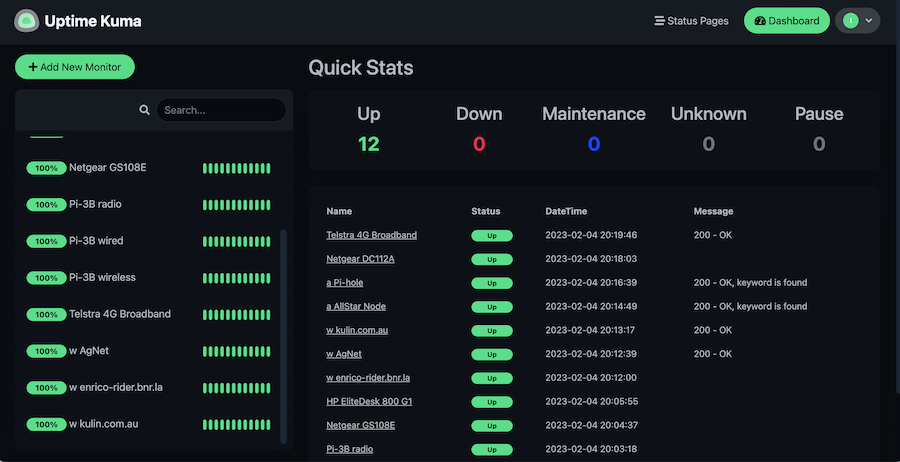
Since it’s in a container, you need to create a volume for it and pass it in to persist your settings. Then it’s just a matter of adding each item you want to monitor. There’s a heap of fancy options for this, the only three I’ve used are ping - just pings an address, http(s) - requests a page and checks the header for a 200, and http(s) keyword - looks at the returned page for a keyword in the html.
You choose the time intervals for all these. Additionally you can set up a notification for each. This is a great idea - I’m not sitting in my datacentre command room watching Uptime Kuma all day, I need to know on my phone if a CAT5 cable’s been pulled out inadvertently while I was vacuuming.

There’s lots of options for how to do this, including messaging platforms such as Telegram and Discord. I had a look on r/selfhosted to see what was recommended, and discovered NFTY which is an amazing little service. It has Android and iOS apps, in the app you subscribe to an endpoint, then a notification can be sent to your phone with a simple http get, for example:
curl -d "This message will pop up on phone" ntfy.sh/ian_test

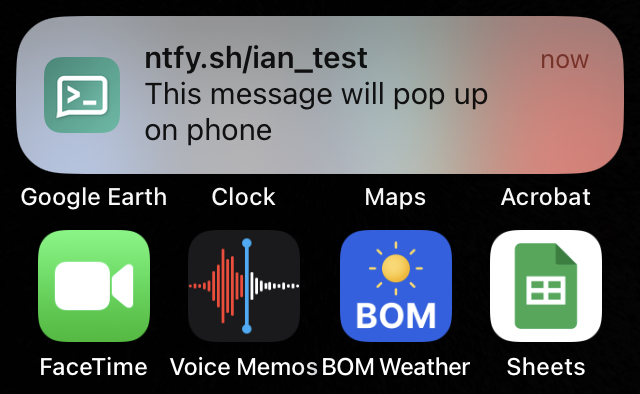
The ian_test part of the url is called the topic, and in the app you can subscribe to several topics. It’s worth noting this is all completely open. Anyone can send messages to the ian_test topic, and anyone can receive them. You should choose a topic name that’s likely to be unique, and be mindful that you’re leaking intelligence. For example:
curl -d "CCTV offline - 12 George St" ntfy.sh/maquarie_bank
would not a be a good use case. Get something more secure for that application. It’s probably not going to be free.
Speaking of which, NFTY is free, including the server. It is possible (and probably a good idea since then you could add a little security) to self host it. It’s such a great little tool, and just so immediately and completely achieved what I wanted with zero drama and low effort, I hit the github sponsor button for it .