User environment variables are not available in cron
15 July 2024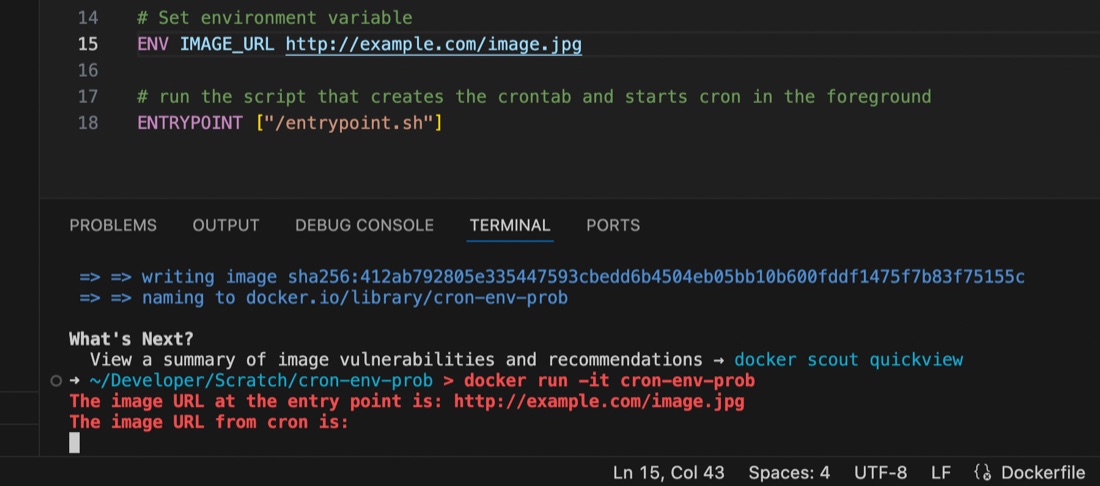
I’m used to using the docker-compose.yaml or dockerfile to set environment variables for containers running my apps, but ran into an issue recently where the variable seemed to be set some of the time, but at others it didn’t appear to exist.
I had a script set to run by cron inside the container, and it turns out that the environment variables set for the container are available in the user space, but not in cron, even if running with that user’s permissions. This is probably old news to established Linux users but it threw me for a while. I’d exec into the container and the script would work perfectly, then wait another minute for cron to run it and it would fail 🤦♀️ It was exasperated by my discovery that I didn’t know how to console.log debug from inside a container cron job as well - the subject of an earlier post.
Once I’d narrowed it down to this issue and googleconfirmed it, I didn’t really come up with an elegant solution either. You may think “buy hey, everything in Linux is a file, it must be in proc somewhere”, and you’d be right, sort of.
In Linux, to see your own environment variables, you type in env. I think this probably works by grabbing them from proc under /proc/<PID>/environ where ps command. If we’re the root user (which I am in my container) we can see someone else’s process ids with ps -u <username>, get the process id for the shell and look in proc. So I tried that from the cron script - it turns out no.
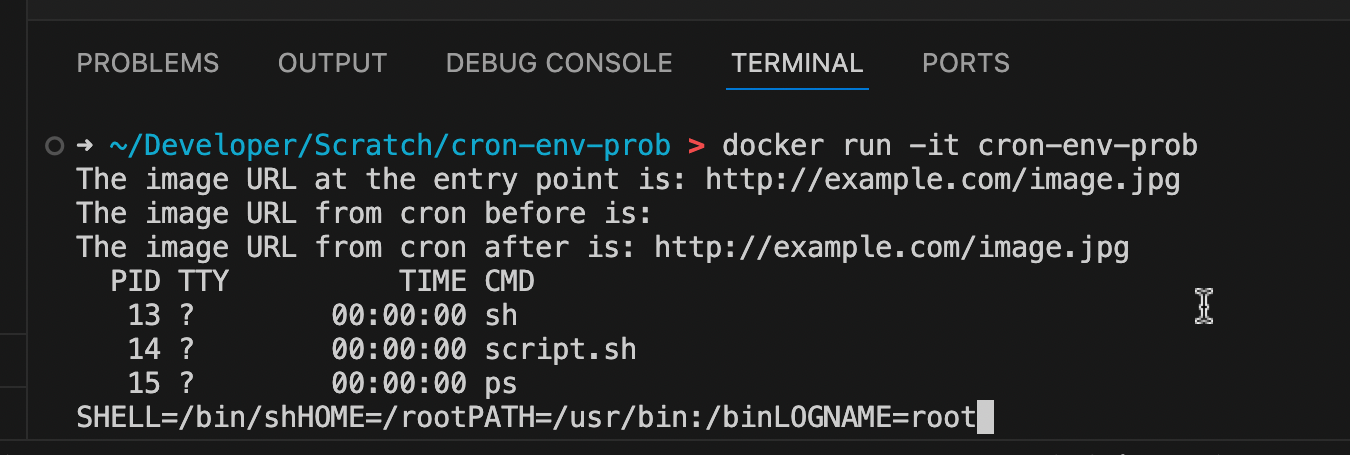
I could see them, but it didn’t include the environment variable passed in from Docker that was available at the entry point. This is all a bit weird to me - I’m not sure why we’re the same user, with the same permissions but with a new seperate environment. I guess there is a reason, it’s just not apparent to me.
The Hack
To get around this, I now save the environment variable I’m interested in to a file in the script that runs at the entry point:
# Save the environment variable IMAGE_URL into
# a file for later use in the cron script

env | grep IMAGE_URL > image_url.txt
Then in my script that is run by cron, I reconstitute it from the file:
# Read the file saved by the entry point script
# and extract the environment variable

while IFS='=' read -r key value; do
    if [[ $key == "IMAGE_URL" ]]; then
        export "$key=$value"
    fi
done < "/image_url.txt"
That works fine. Software testers will be looking at this solution thinking “What about the case where the environment variable isn’t set, but the file from the last run is still there?” Worry not, bug finding person. It’s a container so everything’s ephemeral. The file with the environment variable can only be there on runs when that environment variable has been set.