Word Scramble Feedback
19 Sept 2022As is my practice now, after completing the challenges for Project 5 , I reviewed Paul’s solution (which is only available to subscribers) to see what he’d done better so I could learn from it.
Most of the differences where not of much significance, but there was a couple of things I picked up:
When the user had pressed the reset button, to empty the array of word guesses from the previous turn, I had
usedWords = [String]()
Whereas Paul had:
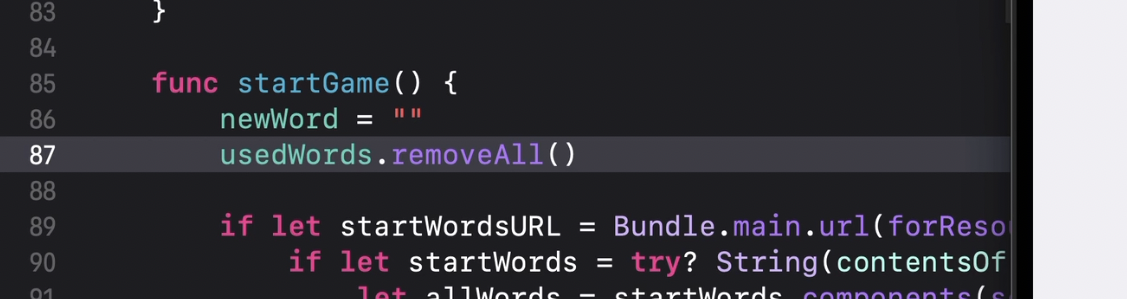
I have no idea if that’s better performing or safer, but to me, it’s a lot clearer, so I prefer Paul’s solution.
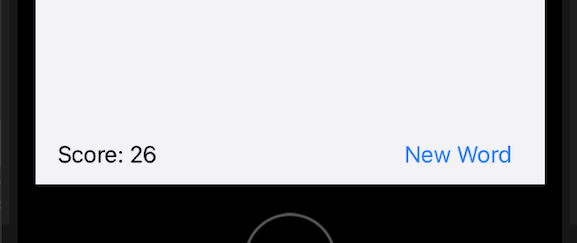
The second difference is a user experience one. I had chosen to put the score and reset button both in a bottom toolbar. It’s a good solution in the sense that it keeps the score and the reset buttons visible regardless of the size of the (scrollable) list. My code for this was appended to the bottom of the list:
.toolbar {
    ToolbarItem(placement: .bottomBar) {
        HStack {
            Text("Score: \(score)")
            Spacer()
            Button("New Word") { startGame() }
        }
    }
}
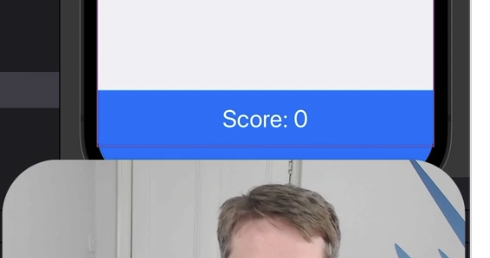
Paul used a SafeAreaInset appended to the bottom of the list, and as he was entering it I was thinking it was overly complex:
•safeAreaInset(edge:.bottom) {
    Text("Score: \(score)")
        .frame (maxWidth: .infinitv)
        .padding()
        .background( .blue)
        .foregroundColor(.white)
        .font(.title)
until I saw the result and loved it.